Set up Stakemate in 2 minutes
Download the app, create a free account, and start tracking your first session — no credit card required.
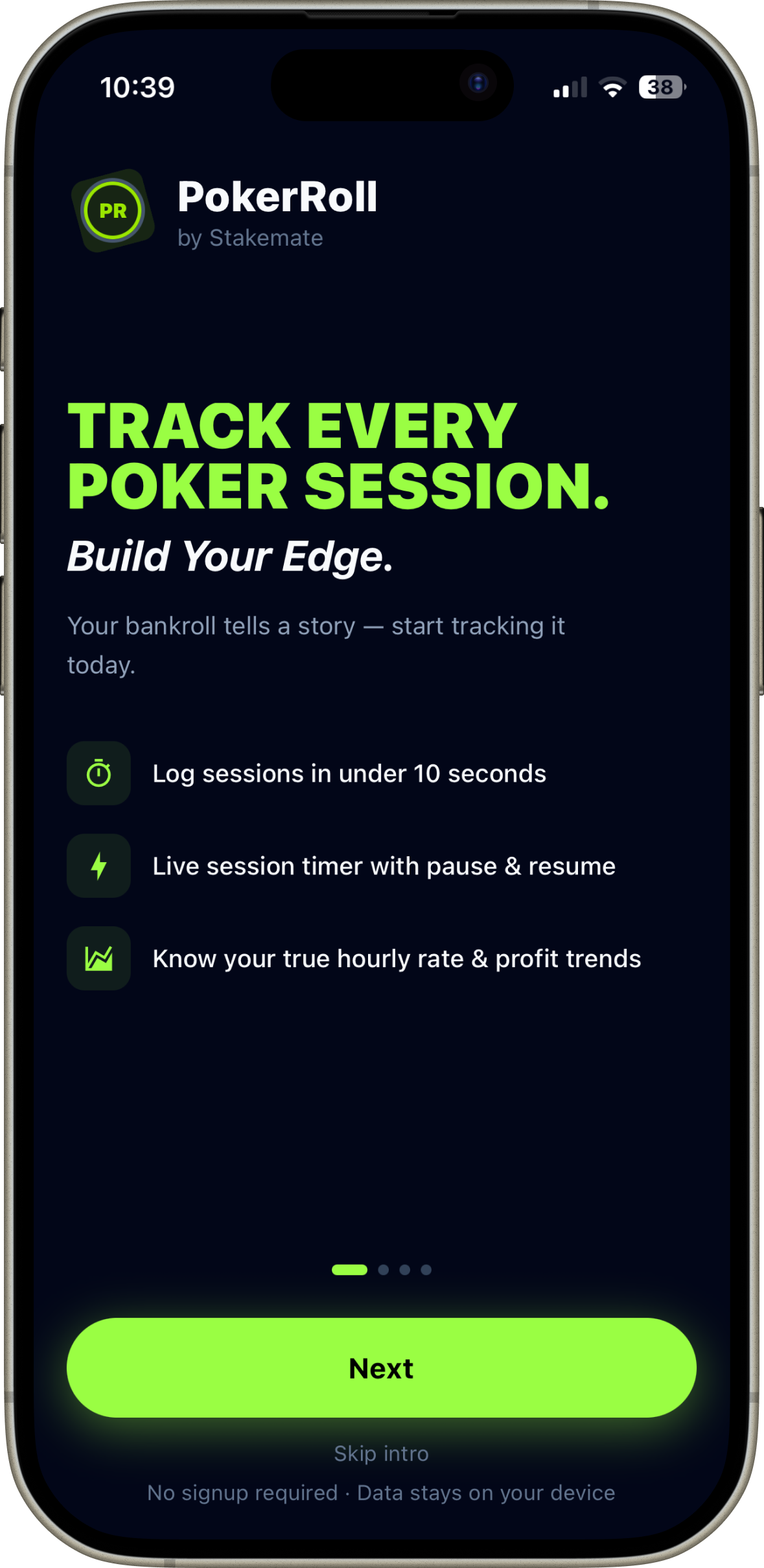
Welcome screen
The first screen you see after downloading. Sign in with Apple or Google to enable cloud backup, or tap Skip to explore locally first.
Download Stakemate from the App Store
Search Stakemate on the App Store or tap the Download button on this page. The app is free to download.
Sign in or skip for now
Tap Sign In to connect with Apple or Google. This enables automatic cloud backup — your data syncs across all your devices instantly.
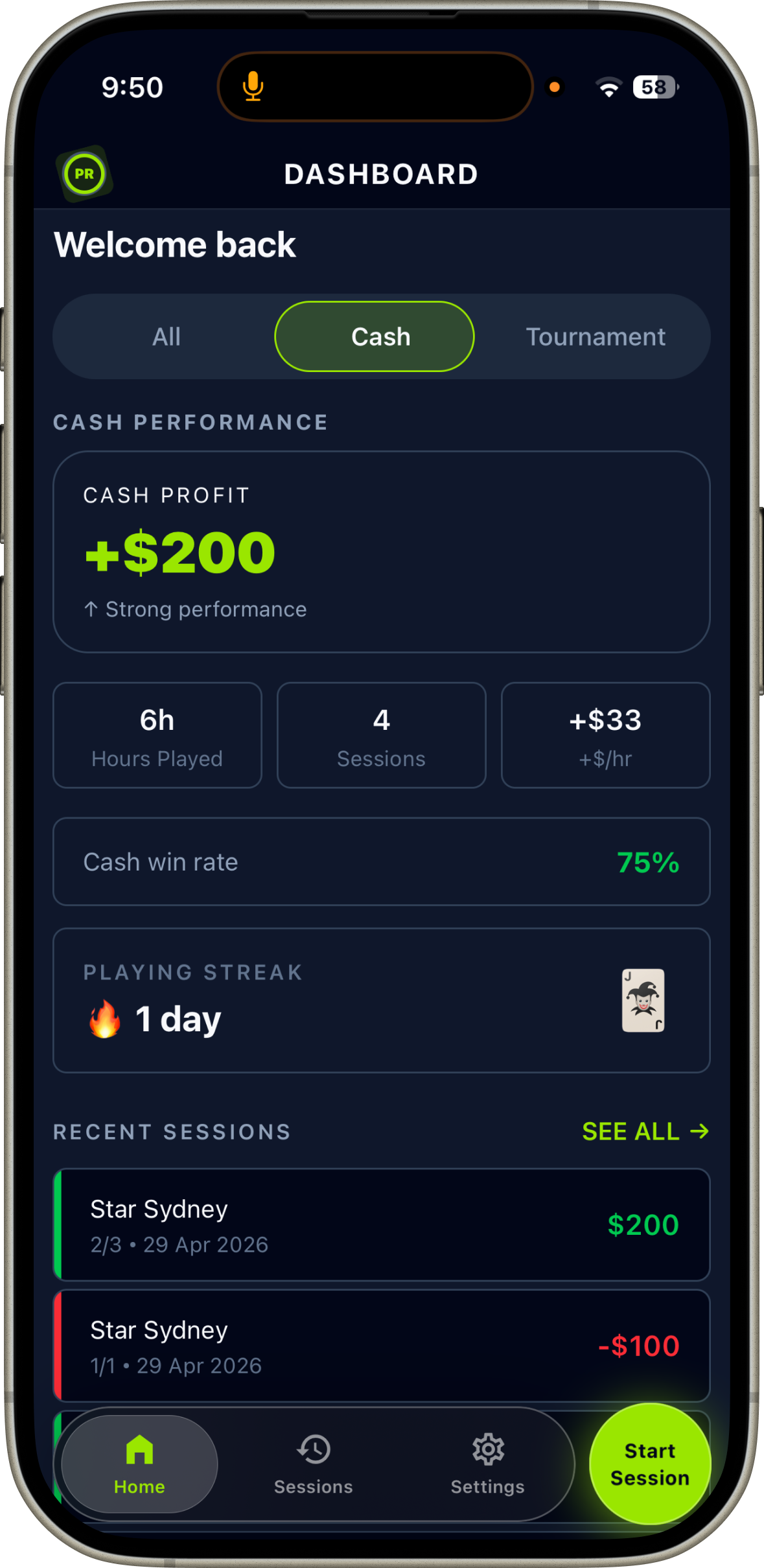
You're on the Home dashboard
The dashboard shows your total P&L, recent sessions, and quick-action buttons. Tap Add Result to log your first session or Start Live to begin a real-time timer.
Set your currency in Settings
Go to More → Settings to choose your currency (AUD, USD, GBP, EUR, SGD, HKD, NZD or ZAR) and set default stakes and home state — so they pre-fill on every new session.
Log a completed session
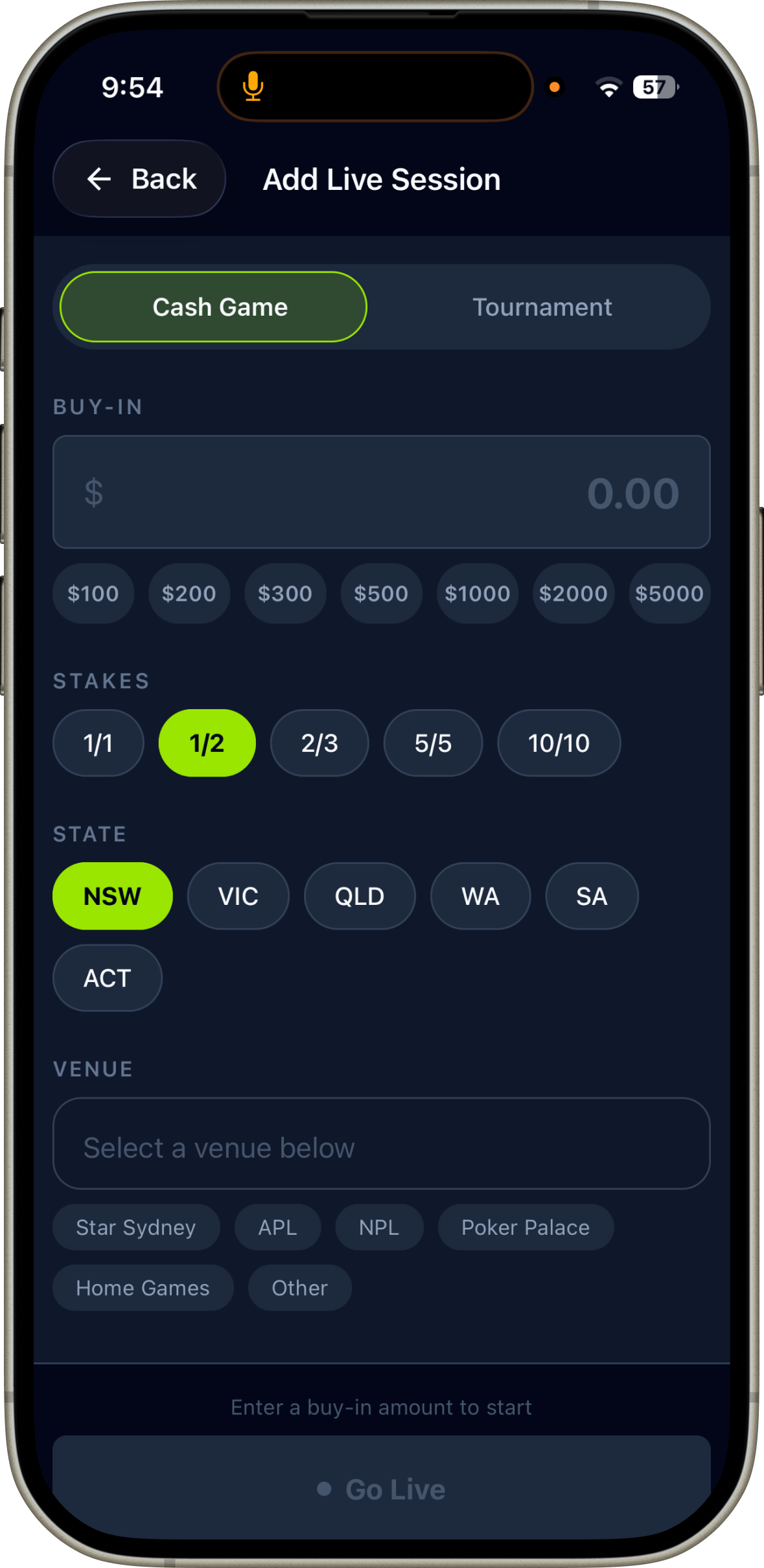
Record every cash game and tournament with buy-in, stakes, venue, duration and result.
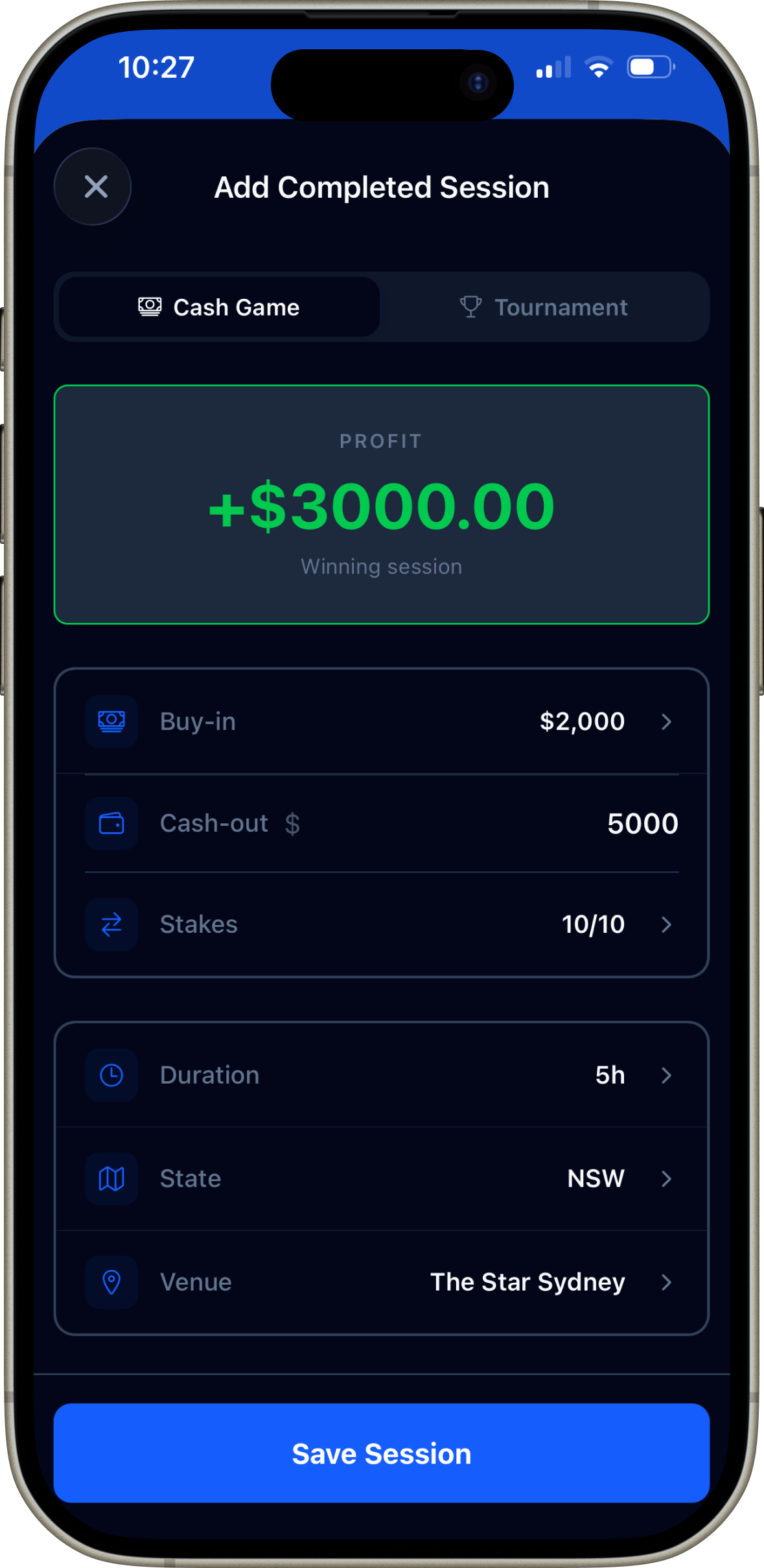
Add Completed Session
Enter your buy-in, cash-out, stakes, duration and venue. Profit calculates automatically. Works for both cash games and tournaments.
Tap "Add Result" on the home screen
The Add Result button opens the session form. Choose Cash Game or Tournament at the top.
Enter buy-in, cash-out and stakes
Type your buy-in and cash-out — profit calculates instantly. For tournaments, enter buy-in, tournament name, number of entries, finishing position and payout received.
Add duration, venue and state
Duration unlocks your hourly rate. Venue and state feed into venue profitability analytics — which rooms are actually making you money.
Tap "Save Session"
Your bankroll chart and all analytics update instantly. The session appears in your history and feeds into win rate, hourly rate and streak tracking.
Track a session in real time
Start the live timer before you sit down — Stakemate tracks duration automatically, including breaks and rebuys.
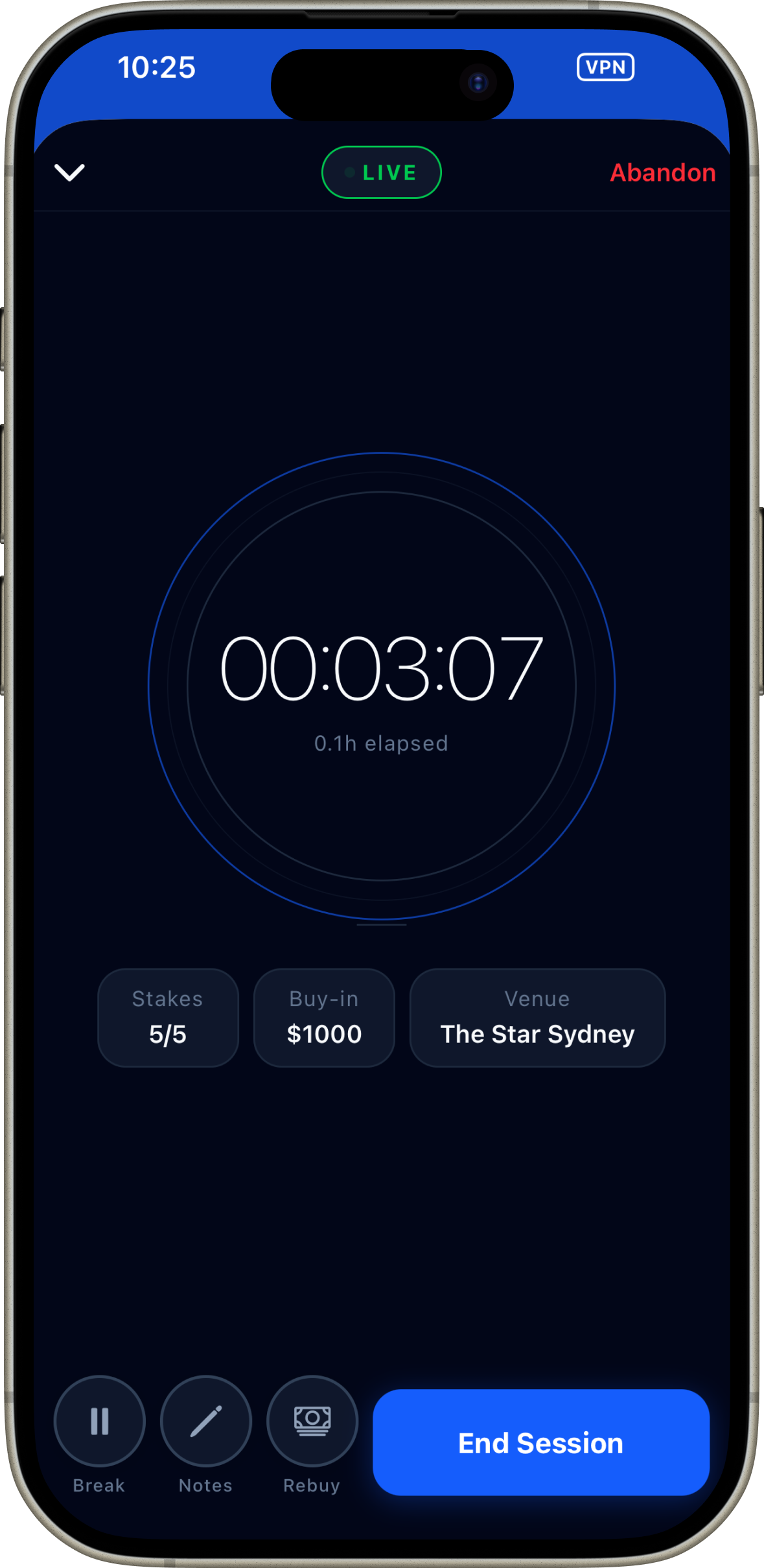
Live Session Timer
The timer runs in the background even when your phone is locked. Use Break, Notes and Rebuy during the session, then End Session when you're done.
Tap "Start Live" on the home screen
The large green Start Live button opens the session setup. Enter your buy-in, stakes and venue, then tap Start.
The timer runs in the background
Lock your phone and play normally. The clock keeps running. A live banner on the home screen shows elapsed time and current session details.
Use Break, Notes and Rebuy
Break pauses the timer. Rebuy adds to your buy-in total. Notes lets you jot hands mid-session while they're fresh.
End Session and enter cash-out
Tap End Session, enter your cash-out amount and save. Duration records automatically — no manual entry needed.
Read your analytics
Your bankroll chart and performance stats update after every session — here's how to read them.
Bankroll & Performance
The Bankroll tab shows your running curve, avg per session, hourly rate, win rate and ROI — all calculated automatically from your session history.
Bankroll curve
Each dot on the curve is a session. An upward trend over time confirms you're a winning player — short-term variance is normal, look at the long-term slope.
Average / Hour (Hourly Rate)
Your most important long-term metric. Only calculated for sessions with recorded duration — log duration on every session using the Live Timer for best accuracy.
Win Rate
The % of sessions where you finished in profit. 50%+ indicates a winning player. Anything below 40% consistently suggests leaks worth investigating.
ROI (tournament players)
Return on investment — your total profit as a % of total buy-ins. Positive ROI means you're profitable across tournaments. Aim for 20%+ ROI as a baseline for long-term profitability.
Buy and sell tournament action
The Stakemate Marketplace lets players sell a percentage of their tournament to backers — and backers invest in players they trust.
What is staking?
A backer pays X% of a player's buy-in and receives X% of any winnings. Example: backer pays 20% of a $1,000 buy-in ($200) and receives 20% of any prize money the player wins.
Create Package & Manage Listings
Set how much action you're selling, your price per 1% and markup. Once published, manage all your active deals from the Stakes tab.
Selling action (for players)
Save the tournament to your calendar
Go to Calendar → Tournaments, find your event and tap ⭐ to save it. This links your stake deal to a real event with accurate details pre-filled.
Create a stake package
Tap Sell Action on the saved tournament. Set how much action you're selling (e.g. 50%), the minimum piece size a backer can buy (e.g. 10%), and your markup.
Publish and share your deal
Tap Publish to make your deal live in the Marketplace. Share it to the Community feed so your followers can see and claim action directly.
Confirm claims and settle
When a backer submits a claim you receive a push notification. Review their profile and confirm or reject. After the tournament, update your result and each backer sees their share.
Buying action (for backers)
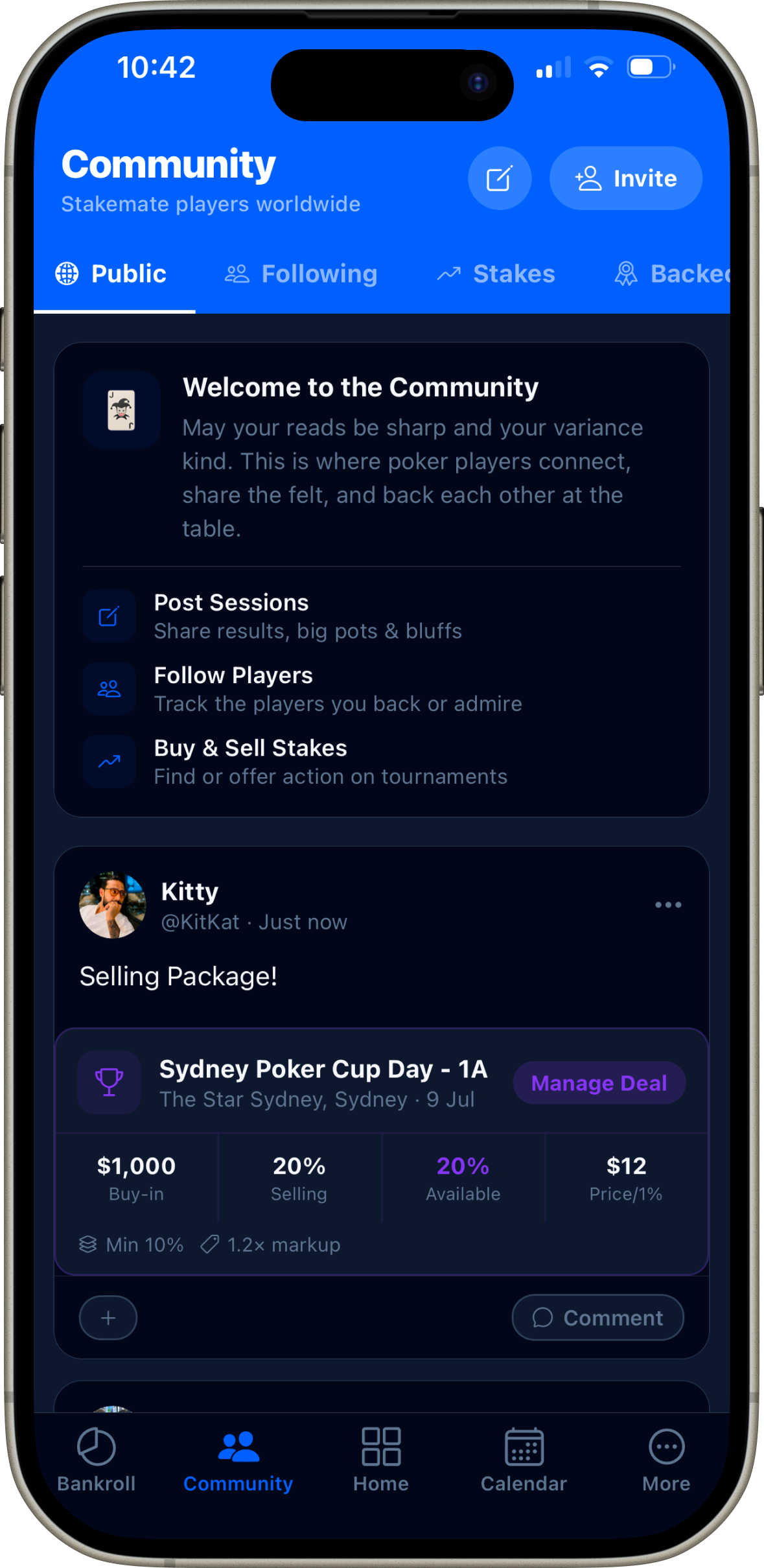
Browsing the Marketplace
The Community → Stakes tab shows active deals. Tap any deal to see full details, the player's profile and track record before submitting a claim.
Browse the Marketplace
Go to Community → Stakes. Active deals show buy-in, % available, price per % and markup. Filter by upcoming date to find time-sensitive opportunities.
Review the player's profile
Tap a deal to see the seller's session history, win rate, community posts and staking track record. Only back players you've researched.
Submit a claim and track it
Enter the % you want to back (must meet minimum piece size) and submit. Once confirmed, your claim appears in Community → Backed. You'll be notified when the player updates their result.
Pro tip: Build your staking reputation
Players with detailed session history, active community profiles and consistent results attract better staking opportunities. Log every session — it builds trust with potential backers.
Get instant coaching on any hand
Describe a hand to the AI and receive detailed exploitative analysis — bet sizing, range considerations, and street-by-street coaching. Available on the Elite plan.
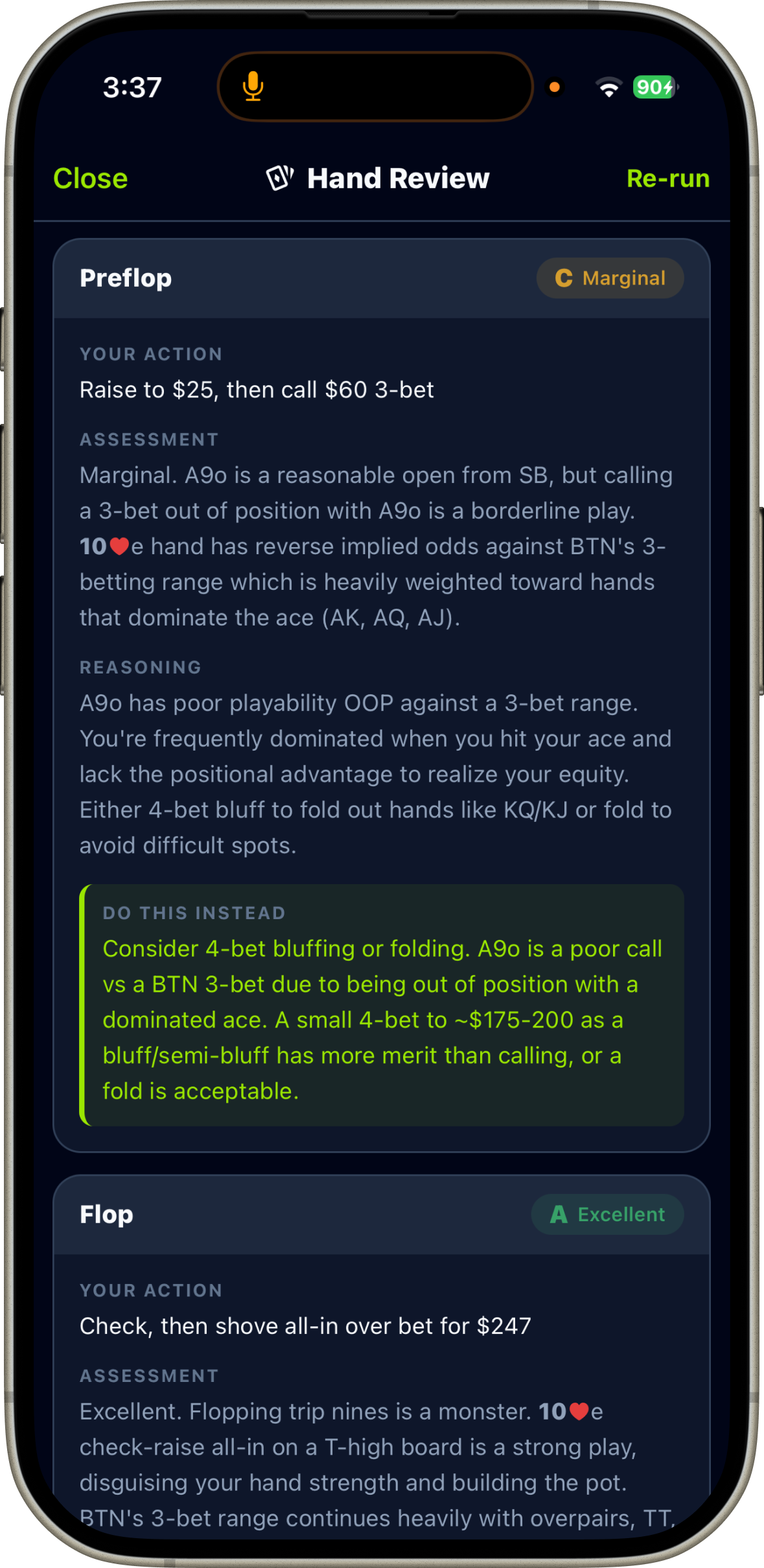
AI Hand Review result
The AI breaks down each street separately — Preflop, Flop, Turn, River — with a grade (Good / Marginal / Poor), assessment, reasoning and a concrete "Do This Instead" suggestion.
Elite feature — 7-day free trial
AI Hand Review is available on the Elite plan. Start a free trial from More → Upgrade to Elite. No charge until the 7 days end.
Open AI Hand Review
Tap AI Hand Review on the home dashboard, or go to More → Tools → AI Hand Review.
Describe the hand in detail
Include position, stack sizes, hole cards, opponent tendencies, action on each street and the board runout. More detail = more precise coaching.
Review the street-by-street analysis
Each street gets a grade, an assessment of your action, clear reasoning, and a concrete suggestion for what to do differently next time.
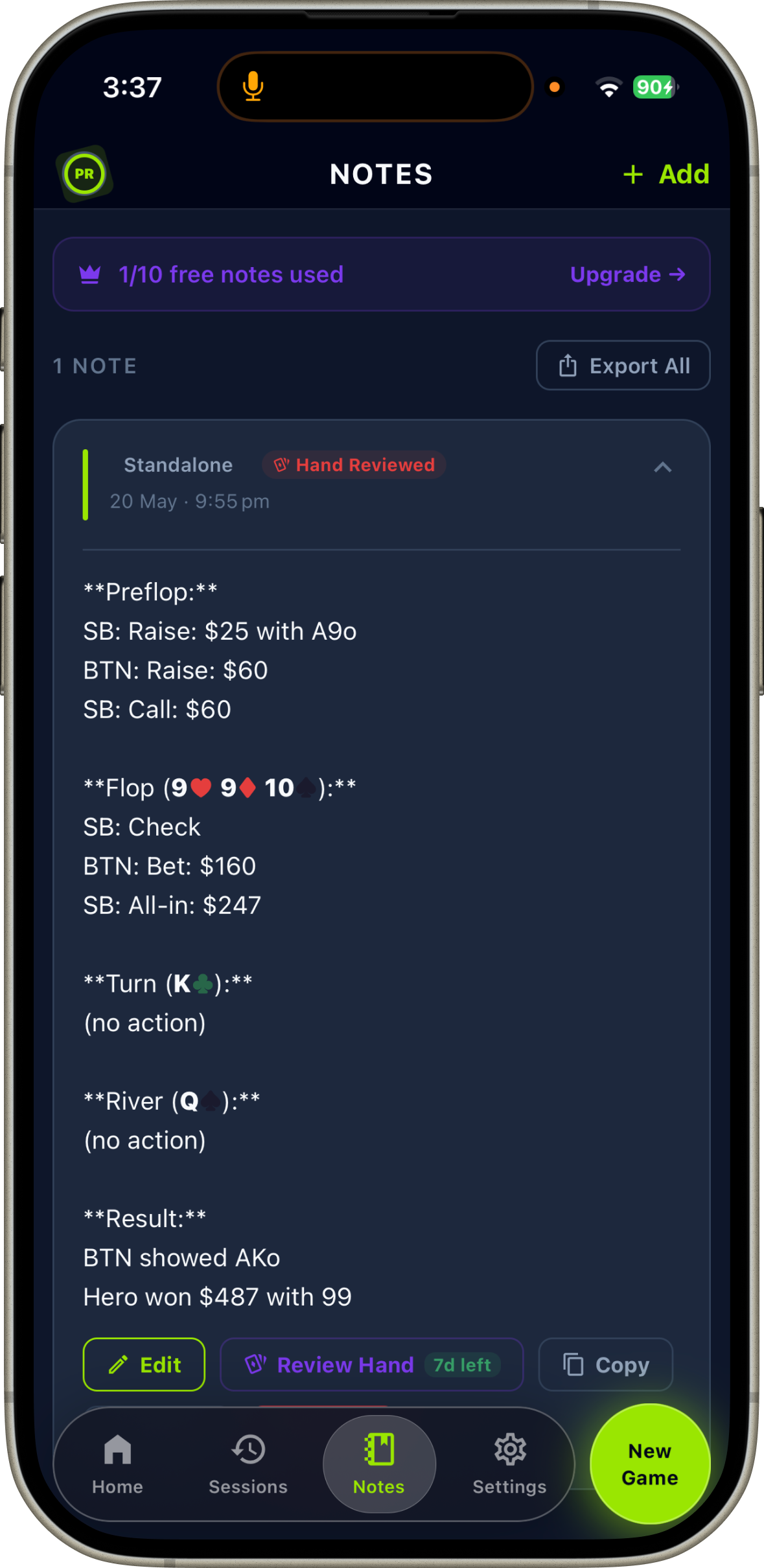
Save to Hand Notes
Tap Save to Notes to store the analysis permanently. Review before sessions to reinforce the concepts learned.
Be specific about reads
Mention opponent tendencies — "villain is a tight reg who rarely bluffs rivers" changes the analysis significantly.
Include stack sizes
Stack depth dramatically changes correct play. Always state effective stacks in big blinds (e.g. 80bb effective).
Describe board texture
Note whether the board is dry, wet, paired or monotone — and how it interacts with likely ranges for both players.
Keep a private poker journal
Write raw notes on hands, spots and reads during or after a session. AI can enhance and compress them into structured, searchable entries.
Open Hand Notes
Go to More → Tools → Hand Notes, or access it from the home screen quick links.
Create a new note
Tap the + button. Add a title, optionally link it to a session, and write your raw notes — hands, reads on opponents, leaks you noticed, or spots to review.
Use AI Compress (Elite)
Tap the compress button to have AI rewrite your raw, stream-of-consciousness notes into a clean, structured format — easier to read and review later.
Review before sessions
Before each session, review recent notes to reinforce reads and concepts. Over time your note library becomes a personalised coaching resource built from your actual experience.
Never miss a tournament
Browse the tournament directory, save events to your personal calendar, and sync them to your device so you get reminders automatically.
Tournament Calendar
Browse series, weekly games and one-off events. Tap ⭐ to save any tournament to My Schedule. Pro users can sync to device calendar for automatic reminders.
Go to the Tournaments tab
Tap Calendar at the bottom. Switch between My Schedule (your saved events) and Tournaments (the community directory).
Find and save an event
Search or browse. Tap ⭐ on any tournament to save it to My Schedule with full details — date, venue, buy-in and start time.
Sync to device calendar (Pro)
With a Pro subscription, tap Add to Calendar on any saved tournament to create a native calendar event with venue, buy-in and a day-before reminder.
Sell action directly from the event
Tap Sell Action on any saved tournament to create a stake deal with all details pre-filled — no manual entry needed.
Connect with other players
Share session results, big pots and tournament scores with the Stakemate community. Follow players you respect and stay up to date on their results.
Community — Public feed
The Public tab shows posts from all Stakemate players. The Following tab shows only players you follow. The Stakes tab is the Marketplace.
Posting
Share hands, results or thoughts in the Public feed. Tap the pencil icon. All signed-in users can post for free — no subscription needed.
Following
Follow players to see their posts in your private Following feed. Tap any player's avatar to view their profile and session stats.
Tournament Posts
Elite members can publish tournaments to the community feed — so players can discover, discuss and stake into upcoming events.
Marketplace
The Stakes tab shows all active stake deals from the community. Browse, review player profiles and submit claims directly from the feed.
Tools for better decisions
Stakemate includes a suite of on-device poker calculators — no internet required, all free.
ICM Calculator
Enter chip stacks and prize structure to calculate each player's real money equity. Essential for final table chop negotiations and bubble decisions. Includes quick presets and suggested chop amounts.
Hand vs Equity
Enter hole cards and a board to see win/tie/loss equity across up to 6 players. Powered by 20,000 Monte Carlo simulations — results in under a second. Uses 4-colour deck for clarity.
Currency Converter
Live exchange rates across 8 currencies — AUD, USD, GBP, NZD, EUR, ZAR, SGD and HKD. Rates update daily from the European Central Bank. Tap any result to flip currencies instantly.
Player Notes
Store reads on players you encounter — name, venue, playing style tags (TAG, LAG, Fish, Reg, Nit etc.) and detailed observations. Syncs to the cloud when signed in.
All tools are free — no subscription needed
ICM Calculator, Hand vs Equity, Currency Converter and Player Notes are available on the free plan. Access them all under More → Tools.